
How To Use
Dream Link Box

- Go to MY TV ONLINE app
- Then go to ADD PORTAL and add URL ( ask from your provider )
- Then share mac address
MAG Box
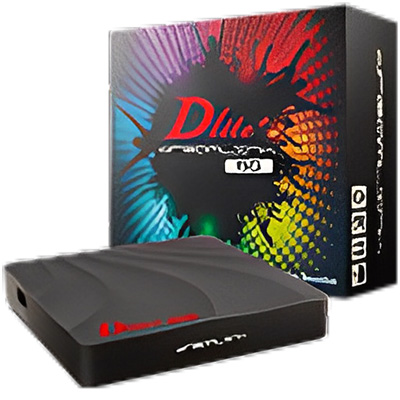
- Go to settings in your box
- Then go to SERVER
- Then go to PORTAL and add URL in PORTAL URL 1 ( ask URL from your provider )
- Then save and share mac address
Formular Box

- Go to Search Option in your TV.
- Search for “Downloader” and download the app.
- Open it and type in this URL https://bit.ly/iptv0899
- Click on GO.
- Install STB EMU Pro.
- Then Click on Configure application.
- Go to profile.
- Hit ok on new profile.
- Hit ok on portal settings.
- Hit ok on portal URL.
- Delete the existing URL and type there:- ( ask from your provider )
- Click on Next then OK.
- Go back Once and hit ok on STB configuration.
- Share the MAC address 00:1A:79:xx:xx:xx to get the services activated.
Fire Stick
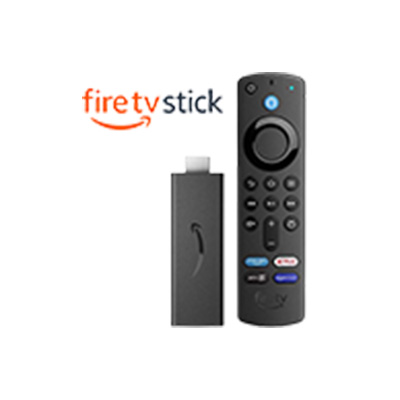
- Go to Search Option in your TV.
- Search for “Downloader” and download the app.
- Open it and type in this URL https://bit.ly/iptv0899
- Click on GO.
- Install STB EMU Pro.
- Then Click on Configure application.
- Go to profile.
- Hit ok on new profile.
- Hit ok on portal settings.
- Hit ok on portal URL.
- Delete the existing URL and type there:- ( ask from you provider)
- Click on Next then OK.
- Go back Once and hit ok on STB configuration.
- Share the MAC address 00:1A:79:xx:xx:xx to get the services activated.
SMART STB for Smart TV
- Download and purchase the smart stb app from your app store
- Then open and share mac address with your provider
- Then go to Smart Stb app settings
- Then go to Portal
- Then follow this steps:-
- 1. Scroll down select USED PORTAL 1 ( turn it ON )
- 2. scroll down on the bottom side there will be a URL select that and put the URL ( ask from your provider) then save it.
- 3. after that scroll up and go to DEFAULT PORTAL. It will be selected already by EMBEDDED PORTAL so press right key and make it PORTAL 1
STB EMU Pro for Android TV

- Go to Search Option in your TV.
- Search for “Downloader” and download the app.
- Open it and type in this URL https://bit.ly/iptv0899
- Click on GO.
- Install STB EMU Pro.
- Then Click on Configure application.
- Go to profile.
- Hit ok on new profile.
- Hit ok on portal settings.
- Hit ok on portal URL.
- Delete the existing URL and type there:- ( ask from you provider)
- Click on Next then OK.
- Go back Once and hit ok on STB configuration.
- Share the MAC address 00:1A:79:xx:xx:xx to get the services activated.
Step-by-Step Guide : How to Use Indian IPTV Services in the USA
If you’re looking to enjoy Indian TV shows, movies, sports, and news while in the USA, Top Indian IPTV makes it easy to stay connected to your favorite content. As the Best Indian IPTV in USA, we provide seamless access to a wide variety of Indian IPTV channels in multiple languages, including Hindi, Tamil, Telugu, Punjabi, and more.
To get started, choose a package that fits your entertainment needs. At Top Indian IPTV, we offer flexible pricing options to ensure you get access to the channels that matter most to you. Once you’ve selected your plan, the next step is to set up your IPTV device. Our service works seamlessly on most devices, including smartphones, smart TVs, and streaming boxes, allowing you to access your favorite Indian content on the go or from the comfort of your home.
Next, make sure you have a stable internet connection. For the best experience, we recommend using high-speed internet to enjoy HD-quality streaming without interruptions. After setting up your device and ensuring your internet connection is stable, simply log in to your Top Indian IPTV account. With this, you’ll gain instant access to a wide array of Indian IPTV channels, covering everything from Bollywood movies to regional TV shows and live sports events.
Finally, sit back, relax, and enjoy endless entertainment. With Top Indian IPTV, you’ll have everything you need to enjoy non-stop Indian entertainment in the USA, all through a user-friendly interface that makes it easy to explore and enjoy your favorite programs. Plus, with our 24/7 customer support, you can always reach out for assistance if needed.
